
Tools · News
DaVinci Resolve 21 to 21.1.2: Photo page, AI tools and assistant hooks
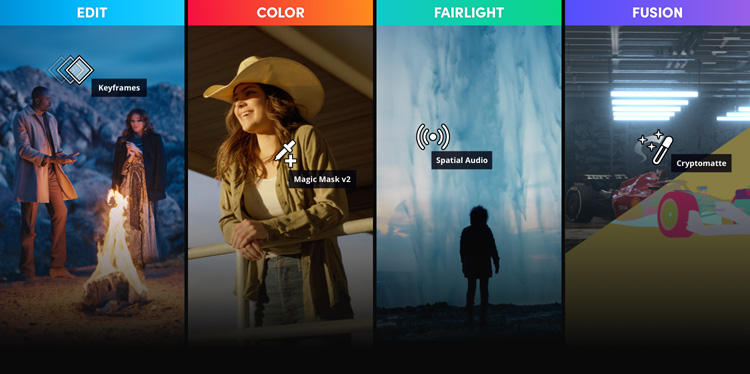
Blackmagic's notes on Resolve 21 and its two follow-ups. Version 21 added a Photo page, so stills get the same node grading as video, plus AI tools for finding faces and spoken lines, reading slates and moving focus after the shot. 21.1 arrived on 8 Sep with hooks for AI assistants and better multicam keys, and 21.1.2 followed on 27 Oct with smaller fixes. The base app is still a free download.
What changed
Resolve 21 is the big one. It adds a Photo page where stills get albums, node grading and live capture from a tethered Sony or Canon body. On the video side there's IntelliSearch, which finds clips by a face, an object or a spoken word, Slate ID, which reads the clapperboard in shot and fills in the metadata, CineFocus for moving the point of focus after the fact, and the Face Age Transformer for making an actor look older or younger. There's also a speech generator that Blackmagic says can build a voice from a 10 second sample. 21.1, announced at IBC on 8 Sep, lets Claude, Claude Code or ChatGPT Codex run jobs in the app from a chat. The same update adds shortcuts for up to 25 multicam angles, separate trim passes for Dolby Vision, HDR10+ and HDR Vivid, and over 25 new Krokodove tools in Fusion. 21.1.2, posted on 27 Oct, tidies edit point selection and plays OGraf graphics up to four times faster.
Who it's for
Anyone already cutting or grading in Resolve. The free version covers a lot of this. Studio is a one-off purchase, listed at US$295 on Blackmagic's page when we checked, with a discount showing, and it's the version Blackmagic lists with the Neural Engine behind most of the AI tools. Our earlier note said the assistant hooks were Studio only. The 21.1 announcement doesn't say either way, so we've taken that out; check on your own copy before you plan around it in the free version.
What it means for a cut
Two things change day-to-day work. IntelliSearch and Slate ID shorten logging on a big shoot, because you can pull every take with a given face or line, and slates get read for you even when the frame's dark or soft. The assistant hooks suit the dull jobs Blackmagic names itself: sorting media, pulling a highlight cut out of a long recording, dropping unwanted clips and starting renders. Treat that highlight cut as a first pass, since none of these pages say how it picks moments. If you deliver HDR to more than one standard, separate trim passes mean a fix to the Dolby Vision version no longer shifts the HDR10+ one.
Tags: davinci-resolve, blackmagic, editing, color, photo, mcp
Related notes
- Runway plugin lands in DaVinci Resolve Runway, 23 Sep 2026
- Motion by Mosaic: an editing agent you can finish in Resolve Mosaic, 20 Oct 2026
Our note credits Blackmagic Design and links to the original; we do not republish the piece. More from October 2026, or the latest on News.